Removing Ads & Support
Every bookkeeping feature in BRI Link Bookkeeping is free to use. If you prefer a clean workspace without bottom banner ads or full-screen interstitial ads, you can activate the Remove Ads Subscription.
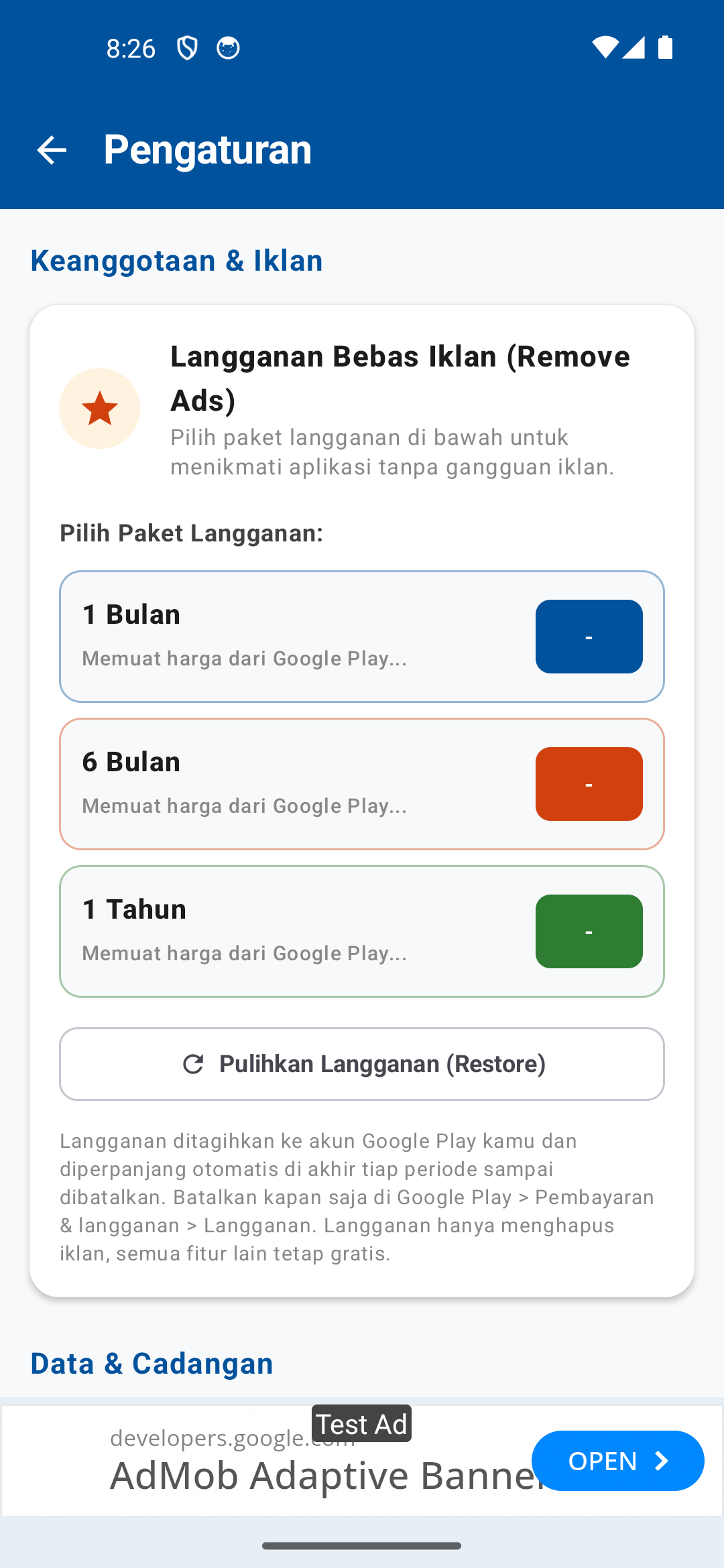
How to Remove Ads
- From the Home screen, tap the three-dot menu in the top right and select Hapus Iklan / Premium (or open Pengaturan / Settings).
- Under Keanggotaan & Iklan (Membership & Ads), wait for official prices to load from Google Play.
- Choose your preferred plan:
- 1 Bulan (1 Month) - renews monthly
- 6 Bulan (6 Months) - discounted semi-annual plan
- 1 Tahun (1 Year) - best-value annual plan
- Complete checkout through the official Google Play Store dialog using any payment method linked to your Google account.
- Once confirmed, your status switches to Langganan Aktif (Bebas Iklan) and all ads are removed immediately.
Restoring Your Subscription (New Phone or Reinstall)
If you switch phones or reinstall the app using the same Google Play account:
- Open Pengaturan (Settings) > Keanggotaan & Iklan.
- Make sure you are online and signed into the same Google Play account used for the purchase.
- Tap Pulihkan Langganan (Restore) to reactivate your ad-free status.
How to Cancel a Subscription
Subscriptions renew automatically via Google Play at the end of each billing cycle until canceled. You can cancel anytime and keep ad-free access until the current period ends:
- Open the Google Play Store app on your phone.
- Tap your profile icon in the top right.
- Go to Payments & subscriptions > Subscriptions.
- Select Pembukuan BRI Link and tap Cancel subscription.
Community, Disclaimer, and Support
- User Community: connect with other agents and get updates via our Facebook Group, Telegram Group, or Telegram Channel.
- Disclaimer: BRI Link Bookkeeping is an independent bookkeeping tool developed by Awan Digitals and is not an official app of, nor affiliated with, PT Bank Rakyat Indonesia (Persero) Tbk.
- Email Support: for help with bookkeeping, backups, or billing, contact our team at: