Getting Started with BRI Link Bookkeeping
BRI Link Bookkeeping (Pembukuan BRI Link) is an offline digital cash ledger built for banking agents and payment counters. All wallet balances, customer records, and transaction history are stored locally on your phone with no sign-in required.
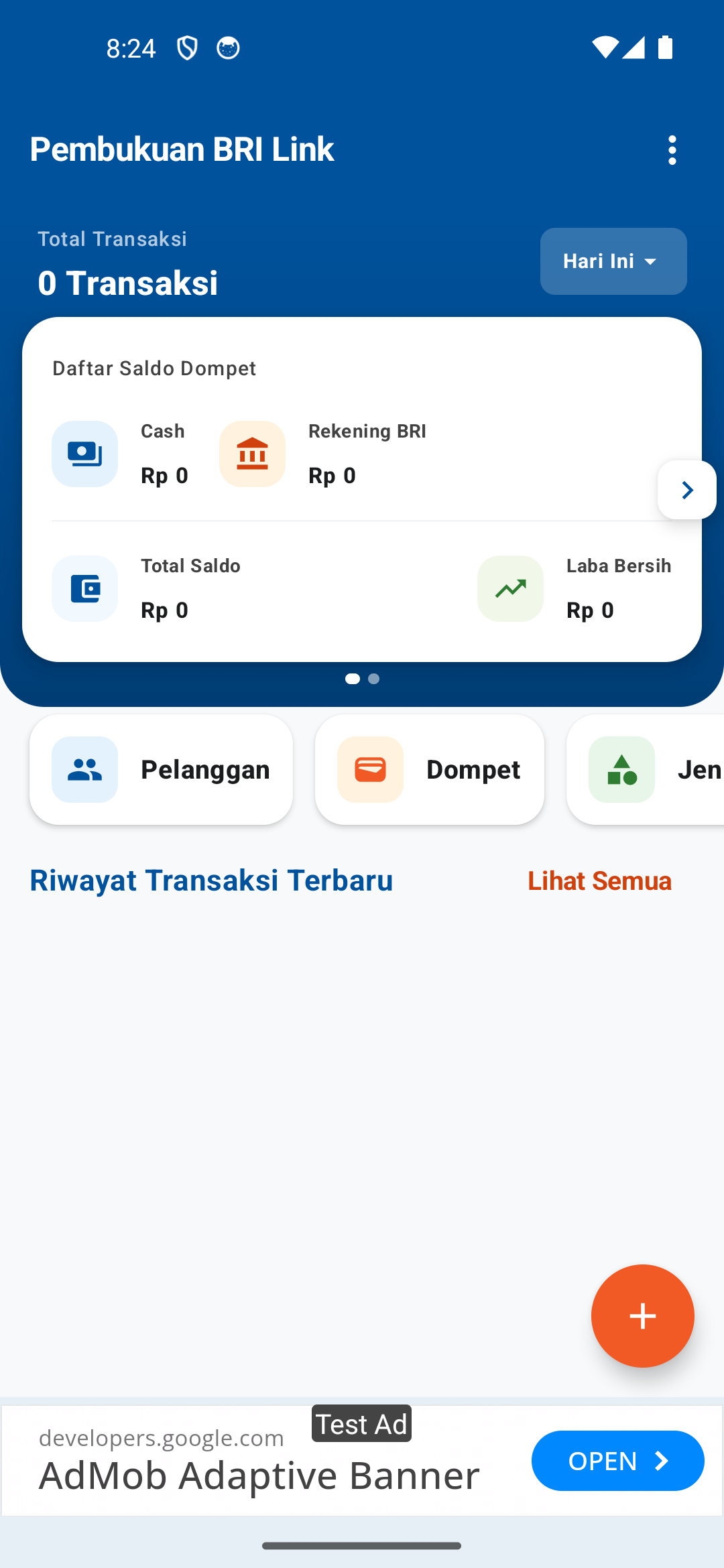
Recommended Setup Order After Installing
When you open the app for the first time, balances start at Rp 0. Follow this order so your digital ledger matches your real cash drawer and bank account:
- Set Initial Wallet Balances: enter starting balances for Cash (cash on hand) and Rekening BRI, and add any extra wallets (e-wallets or other bank accounts).
- Customize Transaction Types & Fee Suggestions (optional): adjust transaction types and preset Bank Admin / Service Fee chips to speed up daily entries.
- Record Transactions: tap the orange
+button at the bottom right for every customer transaction. - Enable Auto Backup: turn on Auto Backup in Settings so your local ledger stays protected if you switch or reset your phone.
Exploring the Home Screen
- Total Transactions & Period Filter: tap the period chip in the top right (Hari Ini / Today) to switch summaries between All, Today, This Month, This Year, or Custom date range.
- Wallet Balances Card: shows individual wallet balances, combined Total Saldo (Total Balance), and Laba Bersih (Net Profit) for the selected period.
- Quick Menu: shortcuts to Pelanggan (Customers), Dompet (Wallets), Jenis Transaksi (Transaction Types), and Saran Biaya (Fee Suggestions) (swipe the row left to see more).
- Three-Dot Menu (Top Right): opens Hapus Iklan / Premium (Remove Ads), Pengaturan (Settings), Community, Contribute, and About.