Recording Transactions & Admin Fee Methods
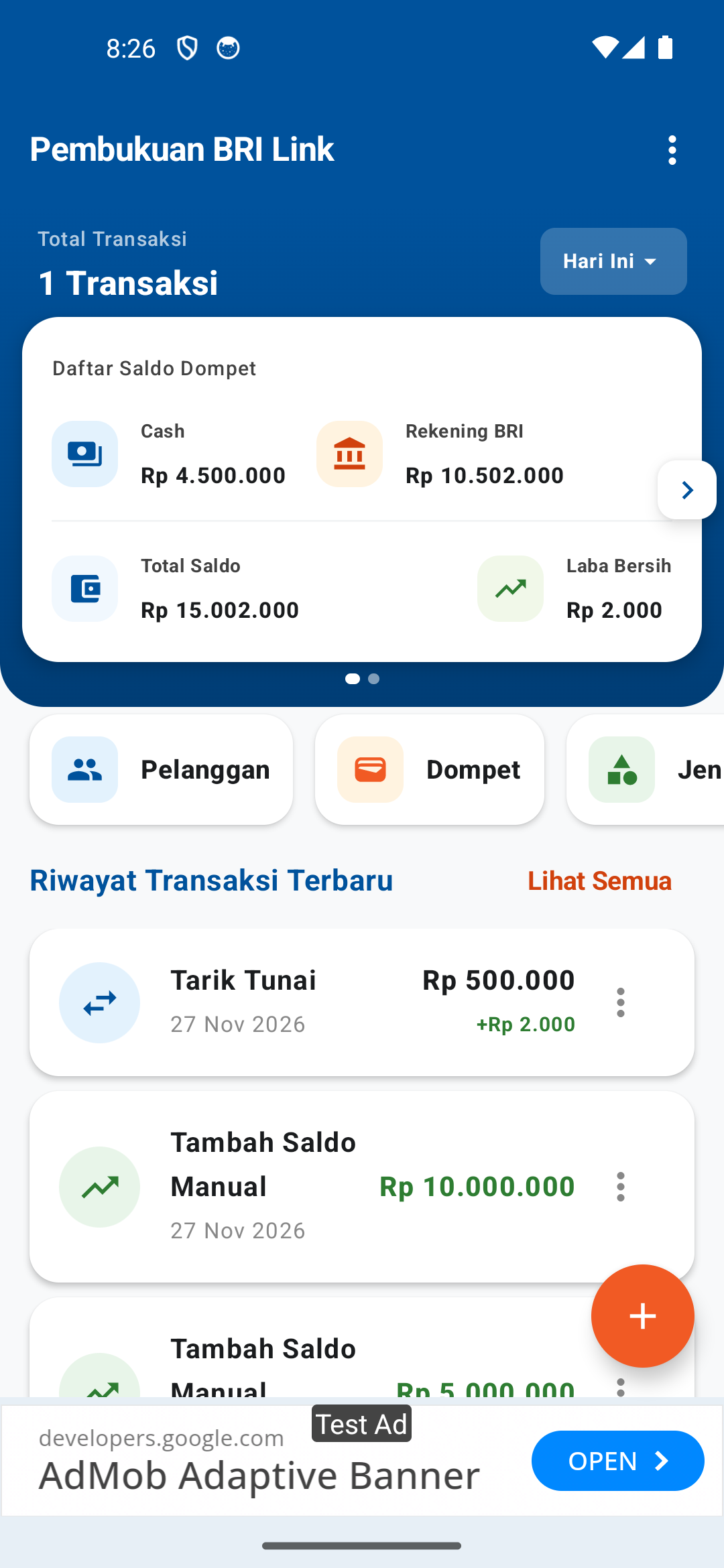
To log a customer transaction, tap the orange + button at the bottom right of the Home screen.
Filling Out the Transaction Form
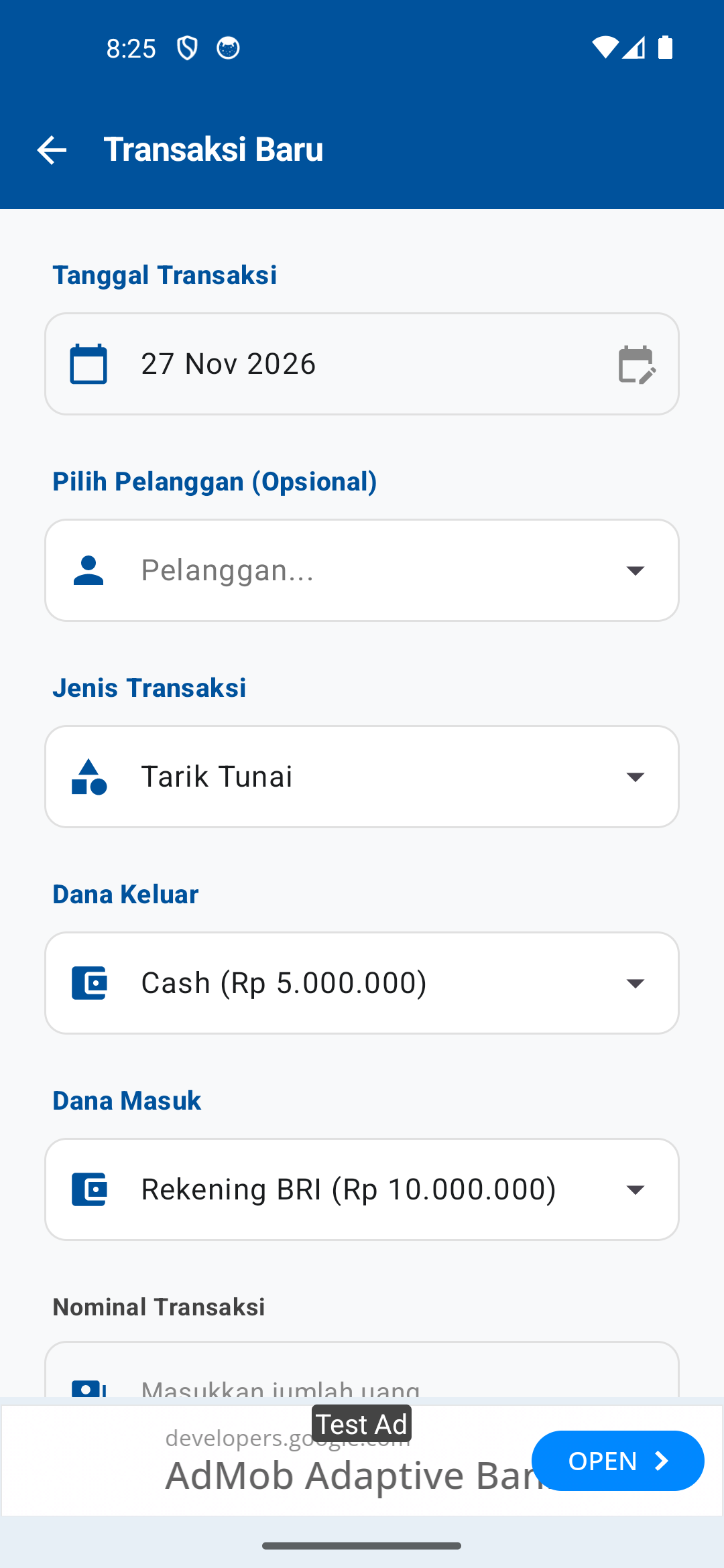
- Tanggal Transaksi (Date): defaults to today (tap to change if logging an earlier date).
- Pilih Pelanggan (Customer, Optional): pick a saved customer if needed.
- Jenis Transaksi (Transaction Type): choose the service (such as Tarik Tunai, Transfer, Setor Tunai, or PPOB).
- Dana Keluar & Dana Masuk (Source & Destination Wallets):
- For Tarik Tunai (Withdrawal): funds leave Cash (handed to the customer) and enter Rekening BRI (transferred by the customer).
- For Transfer / Deposit / PPOB: funds leave Rekening BRI and enter Cash (paid by the customer).
- Nominal Transaksi (Amount): enter the principal transaction amount (for example,
500.000).
Bank Admin, Service Fee, and Admin Fee Method
Scroll down to configure fees and notes:
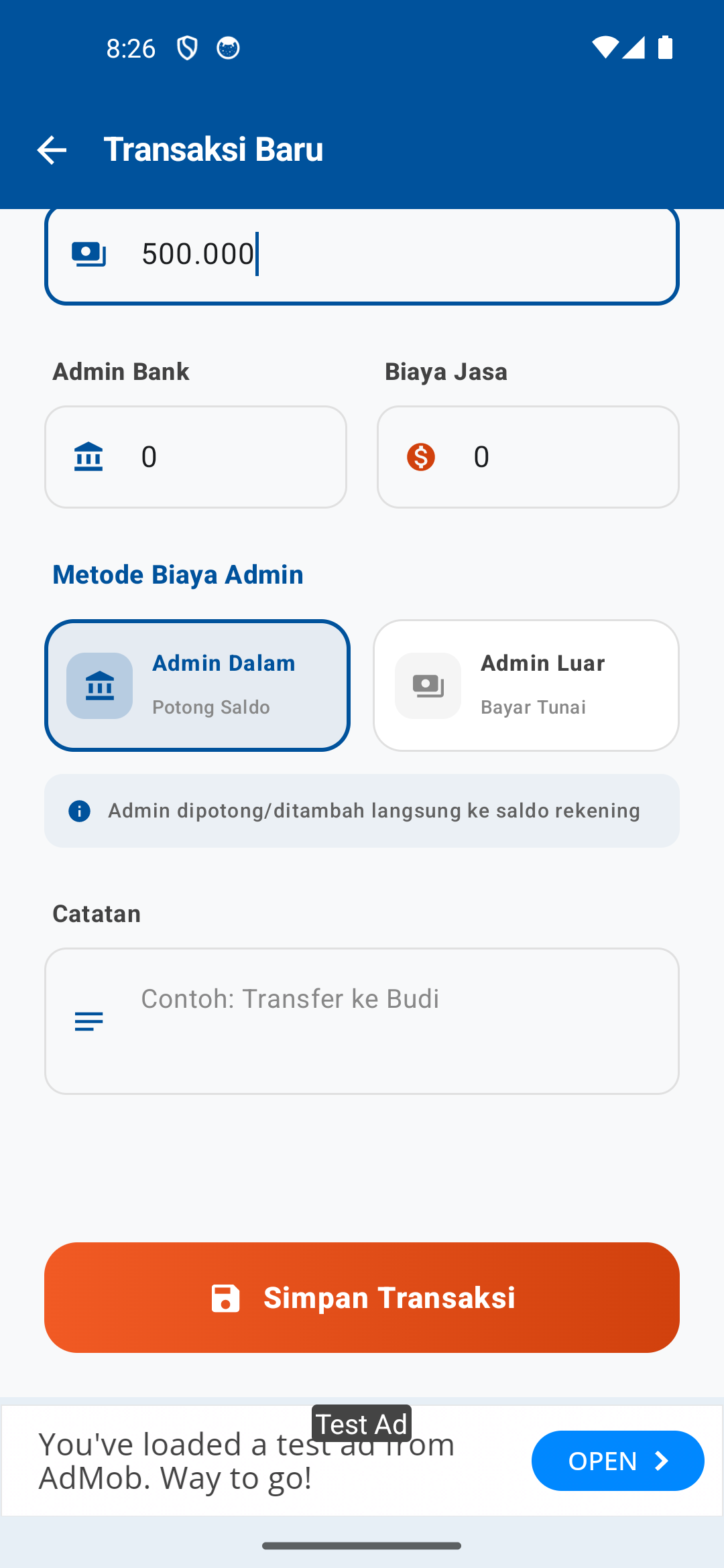
- Admin Bank: bank or provider fee deducted from your account (for example,
3.000). - Biaya Jasa (Service Fee): fee charged to the customer (for example,
5.000). Net Profit is calculated automatically (Service Fee - Admin Bank = Rp 2.000). - Metode Biaya Admin (Admin Fee Method):
- Admin Dalam (Potong Saldo): the admin fee is deducted from or added directly to the bank wallet balance.
- Admin Luar (Bayar Tunai): the customer pays the admin fee separately in cash (Cash wallet).
- Catatan (Note): add optional details (recipient name, reference, etc.), then tap Simpan Transaksi (Save Transaction).
Automatic Updates on Home
Right after saving, Cash, Rekening BRI, Total Saldo, and Laba Bersih (Net Profit) update automatically on the Home screen: