Settings, Save Location, and Support
Open the Settings tab (gear icon on the bottom navigation bar) to configure file handling, appearance, language, cache, and permissions.
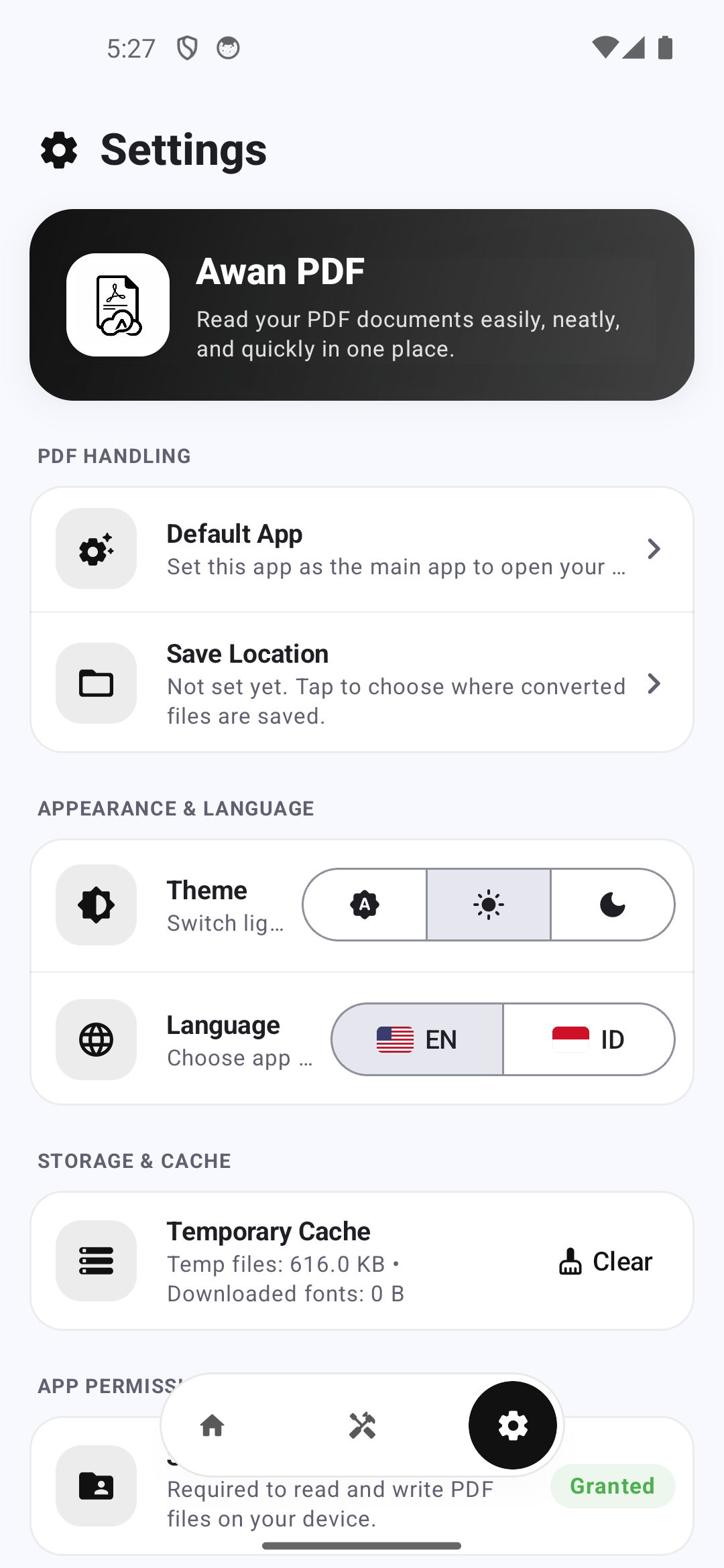
PDF Handling
- Default App: opens a quick step-by-step guide to set Awan PDF as your default PDF viewer on Android (pick Awan PDF and choose Always).
- Save Location: choose the destination folder for newly created files.
Appearance & Language
- Theme: switch between Follow System, Light, and Dark mode.
- Language: switch the app interface directly between EN (English) and ID (Indonesian).
Storage, Cache, and Permissions
- Temporary Cache: displays space used by temporary files (picked/scanned cache) and downloaded Google Fonts. Tap Clear to remove temporary cache only. Your original PDFs, downloaded fonts, and saved signatures remain untouched.
- Storage Access: displays your current permission status (Granted or Not Granted) with quick buttons to enable storage access if you want to use Scan File.
Help and Support
If you run into an issue or want to suggest an improvement for Awan PDF, reach out to us at: