Page Tools & Compare PDF
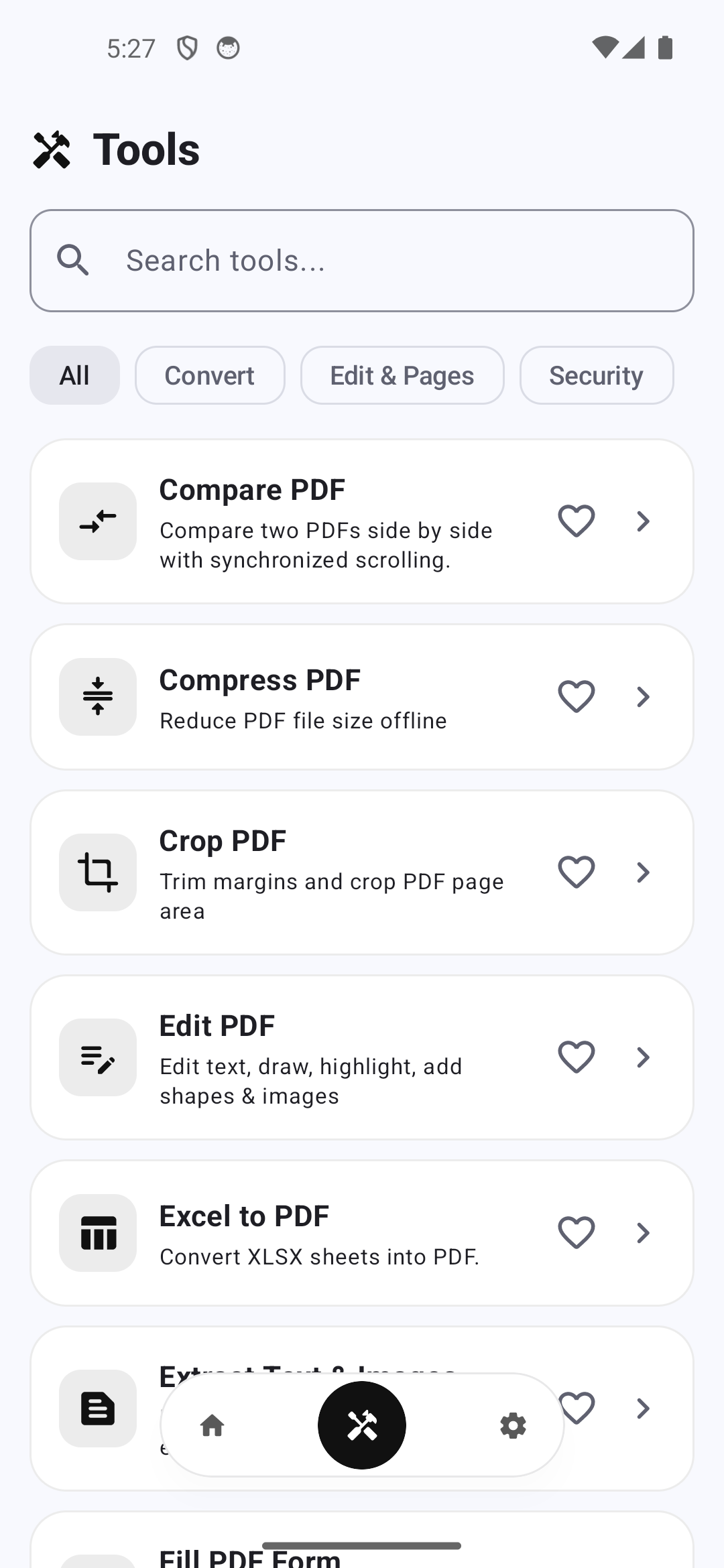
All PDF utilities live in the Tools tab. Use the search bar or category chips (All, Convert, Edit & Pages, Security) to jump straight to any tool. Tap the heart icon on your most used tools to pin them at the top.
Merge PDF
Combines two or more unlocked PDF files into a single document while preserving original page dimensions and selectable text.
- Open Tools > Merge PDF (or long-press multiple files on Home and choose Merge).
- Pick at least 2 PDF files from your history or device storage.
- Drag files to set the order from first to last, then tap Start Merge.
Split PDF
Splits one PDF into multiple files using two modes:
- Range Mode: set the From and To page bounds and Pages / file (for example,
1puts each page in its own file). - Fixed Mode: choose the target Number of files and Awan PDF divides pages evenly across them.
Organize PDF (Organize+)
Visually rearrange document pages in a thumbnail grid:
- Reorder: press and hold a page card, then drag it to its new position.
- Per-Page Actions: tap a page to rotate, duplicate, or delete it.
- Insert Pages: insert a Blank Page or Insert Pages from PDF from another document.
Remove Pages, Rotate, and Crop PDF
- Remove Pages: select unwanted pages from the grid preview (at least 1 page must remain) and save as a new copy.
- Rotate PDF: rotate individual pages left or right, or use All Left / All Right to rotate the entire document at once (with Reset Rotation available).
- Crop PDF: drag the corners or edges of the crop frame to trim margins. Apply to Current page only or All pages. Cropping updates the PDF crop box directly, keeping vector text crisp.
Compare PDF
Open Tools > Compare PDF to inspect two documents side by side:
- Pick Left PDF and Right PDF.
- Both documents display side by side with synchronized scrolling, plus Zoom In / Zoom Out controls and file details.