Upload History & Session Comparison
Every time you upload a new ZIP archive for the same account, IGE Analyzer stores it as a separate upload session. By uploading exports periodically (for example weekly or monthly), you can track changes over time.
Upload Sessions History & Growth Trend
Open History & Comparison from the Dashboard Analysis Menu:
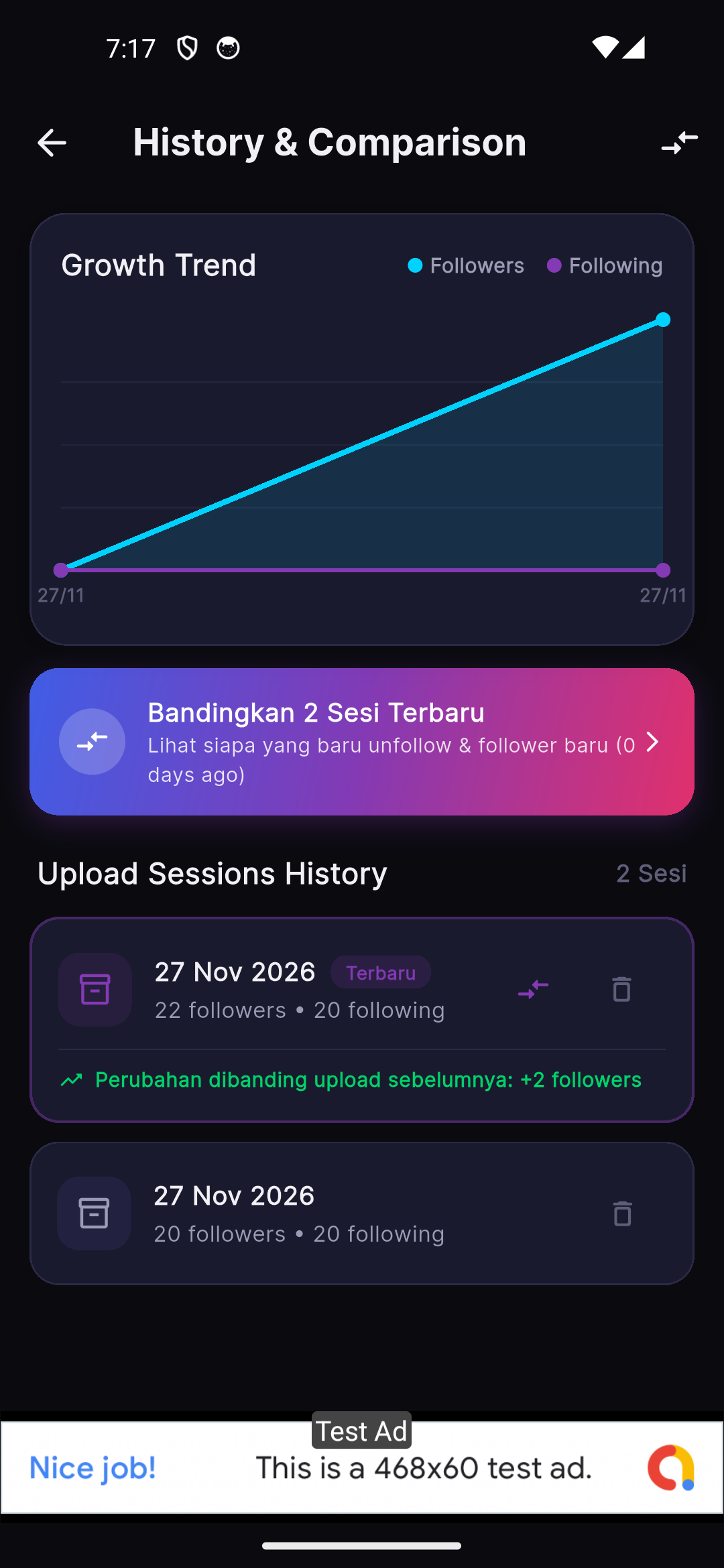
- Growth Trend Chart: plots your Followers and Following counts across upload sessions.
- Upload Sessions List: shows each upload date, follower/following counts at that point in time, and the net change from the previous session.
- Delete Session: tap the trash icon next to any session to remove it from local storage.
Comparing 2 Sessions (Detect Unfollowers & New Followers)
Comparison requires at least 2 upload sessions. Tap Compare 2 Latest Sessions (or tap the compare icon in the top right to pick any Session 1 (Older) and Session 2 (Newer) manually).
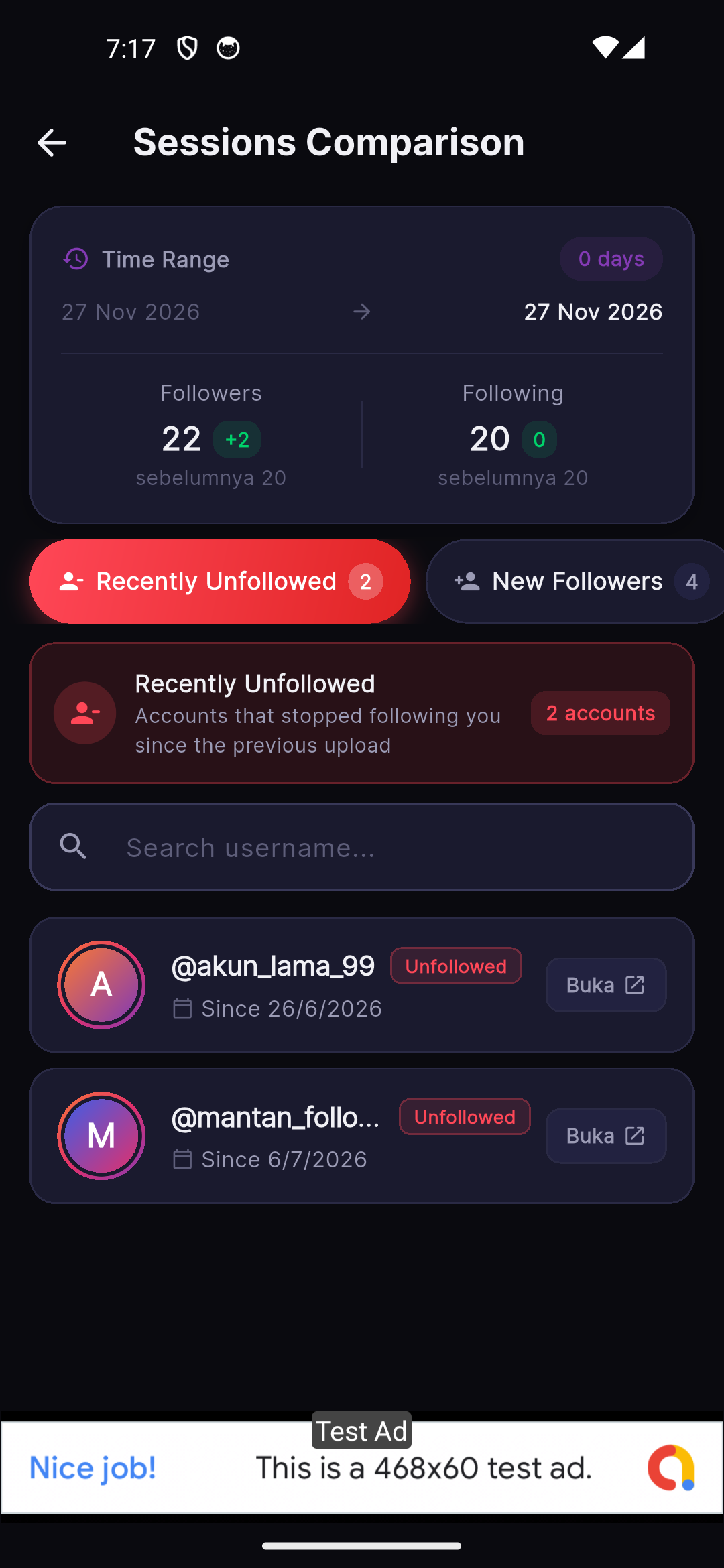
The Sessions Comparison screen breaks down 4 change categories, each with username search and a quick Open profile button:
- Recently Unfollowed: accounts that stopped following you since the older session.
- New Followers: accounts that newly followed you between the two sessions.
- Unfollowed by You: accounts you unfollowed between the two sessions.
- New Following: accounts you started following between the two sessions.