Dashboard & Followers Analysis
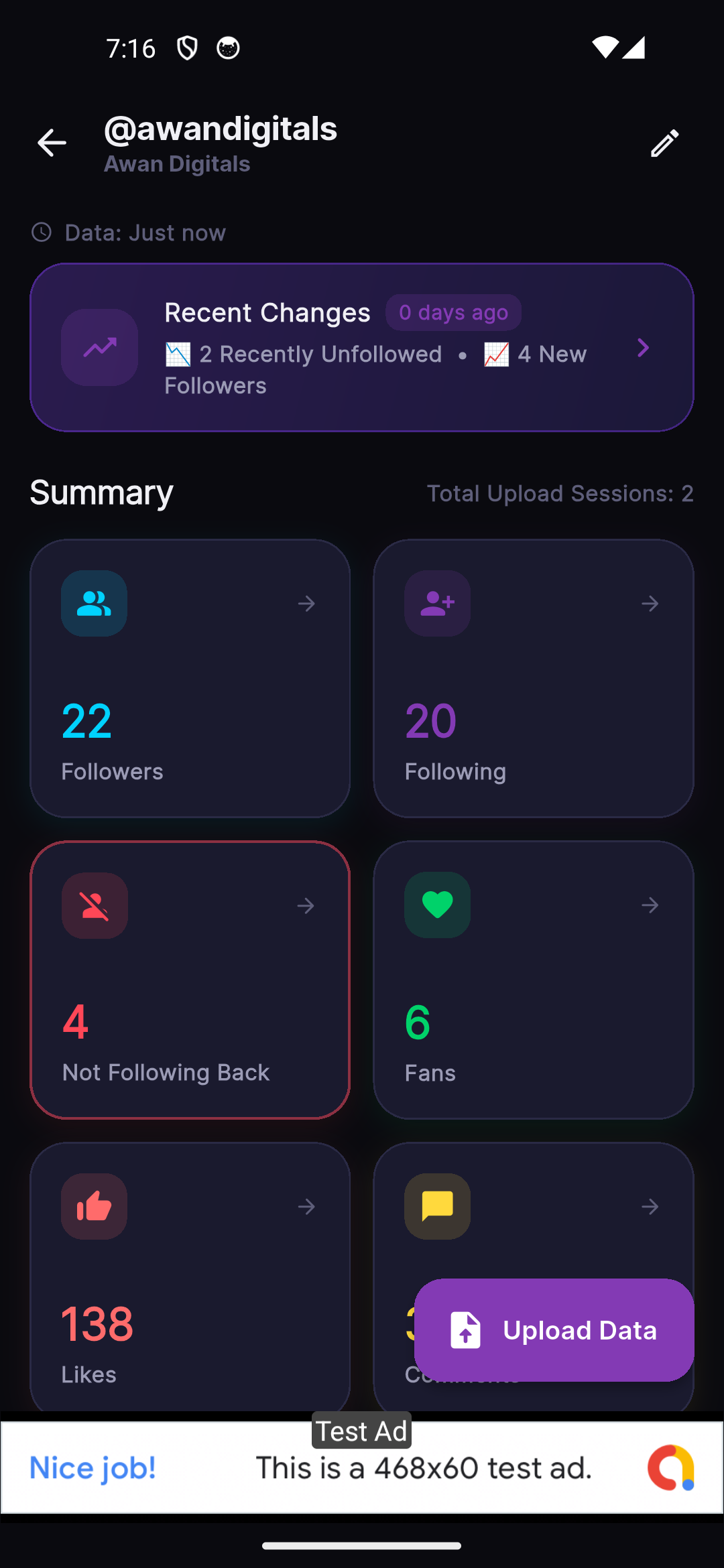
Once your ZIP export is processed, the Dashboard gives you an instant overview of your account and shortcuts to every analysis screen.
Reading the Dashboard
- Recent Changes: appears automatically once you have at least 2 upload sessions, highlighting how many accounts recently unfollowed you and how many new followers joined. Tap it to jump straight into the comparison details.
- Summary Cards: shows totals for Followers, Following, Not Following Back, Fans, Likes, Comments, and Follow Ratio. Tap any card to open its detailed view.
- Analysis Menu: located below the summary cards for quick access to Followers Analysis, History & Comparison, Top Liked Accounts, and Activity Chart.
Followers Analysis
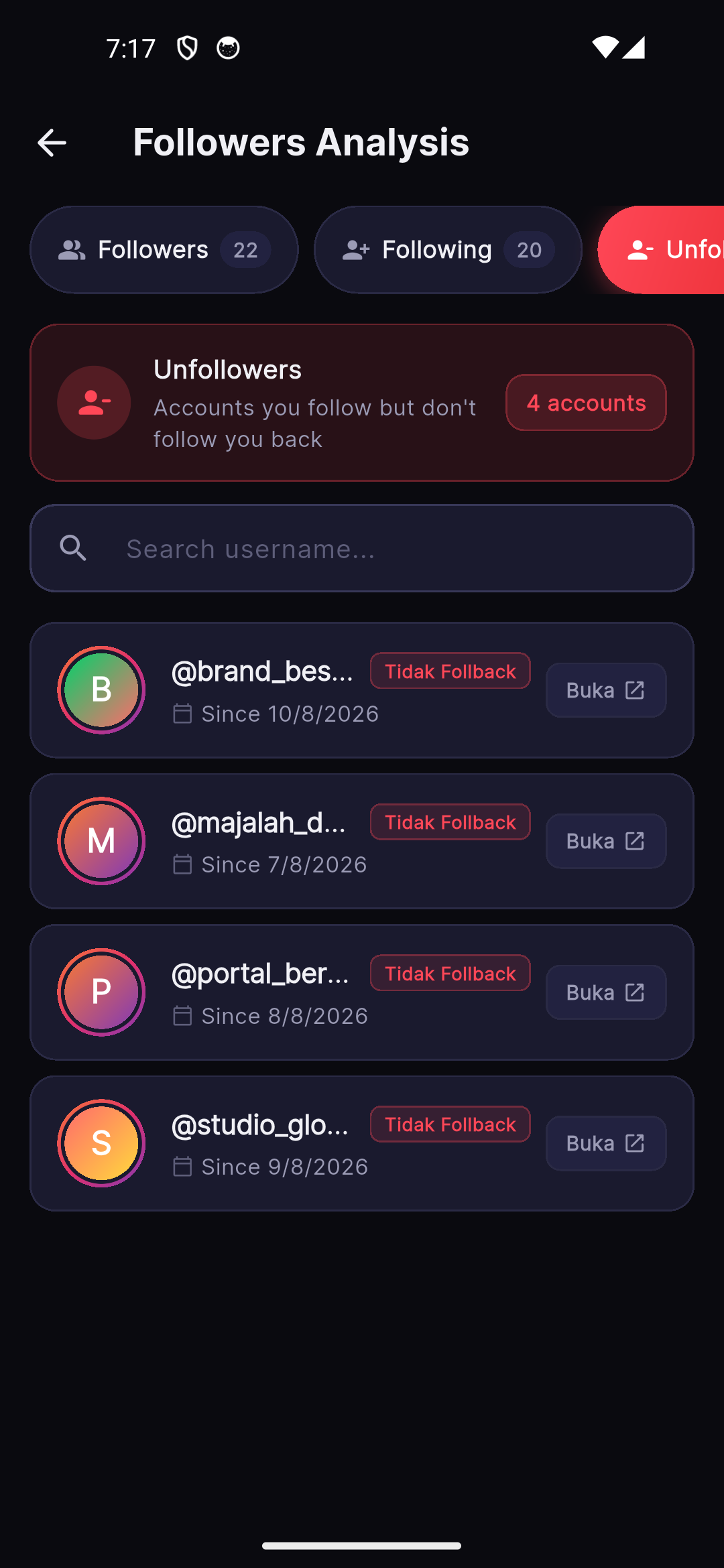
Open Followers Analysis from the Analysis Menu or by tapping a follower summary card on the Dashboard. Five category tabs are available:
- Followers: all accounts following you.
- Following: all accounts you follow.
- Not Following Back (Unfollowers): accounts you follow that do not follow you back.
- Fans: accounts following you that you do not follow back.
- Mutual: accounts that follow each other.
Helpful Tools on the List
- Search Username: type part of a username to filter the active tab right away.
- Since Date: shows when the follow relationship started based on your Instagram export.
- Open Button: tap Open on any row to jump directly to that user's Instagram profile in the Instagram app or browser.